Key takeaways
- Text to speech turns text into spoken audio; speech to text turns audio into text. Both are now built on neural networks.
- For quick dictation use the tool already on your device: Word's Dictate, Windows voice typing or your phone's keyboard.
- Whisper is a free, open-source speech recognition model you can run yourself; cloud services add live streaming, speaker labels and scale.
- Gemini can transcribe audio and also generate natural speech through the Gemini API and Google AI Studio.
- Test any converter on your own accent, vocabulary and noise level before relying on it.
Text to speech (TTS) converts written text into spoken audio, and speech to text (STT), also called automatic speech recognition, converts spoken audio into written text. Both now use AI: neural networks trained on large amounts of recorded speech. This page explains how they work, how to convert speech to text on any device, the best converters, how OpenAI's Whisper compares with cloud services, what Gemini can do with audio, how to create an AI voice, and how to use the Microsoft tools, including dictation in Word.
What is text to speech (TTS)?
Text to speech is technology that reads text aloud in a synthetic voice. Modern TTS uses neural networks that generate natural-sounding speech with realistic rhythm and intonation, in many languages and voices.
Also asked as: what is text to speech tts
A TTS system first analyses the text, expanding numbers and abbreviations and working out pronunciation, then a neural model generates the audio. Uses include screen readers for visually impaired users, voice assistants, audiobook and video narration, navigation apps and language learning. Quality is now high enough that synthetic voices can be hard to tell from real ones, which is why responsible services restrict cloning a real person's voice without consent. When you use TTS in a project, label it as synthetic where listeners might be misled.
Does speech to text use AI?
Yes. Modern speech to text uses deep learning models, typically transformers, trained on very large amounts of transcribed audio. Older systems used statistical models with separate acoustic and language components.
Today's models map audio directly to text and handle accents, background noise and natural speech far better than earlier systems. Some, like Whisper, were trained on hundreds of thousands of hours of multilingual audio from the web. Accuracy still depends on conditions: clear microphones, one speaker at a time and common vocabulary work best, while cross-talk, heavy noise, code-switching between languages and technical jargon cause errors. In the OCR & Speech Workspace I built live speech-to-text into the same workspace as document chat, because once speech is text, search and summaries work on it too.
Can you convert speech to text?
Yes, on almost any device for free. Phones have voice typing in the keyboard, Windows has voice typing with Windows key plus H, macOS has Dictation, and Word, Google Docs and most messaging apps support dictation.
For recordings rather than live speech, options include:
- Transcription in apps: Microsoft Word's Transcribe on the web, meeting tools such as Teams and Google Meet, and voice recorder apps.
- Open-source models: Whisper runs on your own computer, privately and free.
- Cloud APIs: Google Cloud Speech-to-Text, Azure AI Speech, Amazon Transcribe and others for apps and large volumes.
- AI assistants: Gemini and ChatGPT can transcribe uploaded audio within their limits.
Always proofread names, numbers and technical terms, the most common error points.
What is the best speech to text converter?
There is no single best one; it depends on the job. For dictation, your device's built-in voice typing is best. For recordings and privacy, Whisper. For apps, live captions and scale, a cloud API such as Google, Azure or Amazon.
How to choose:
- Accuracy on your audio: test three short clips in your accent, with your vocabulary and noise.
- Live or recorded: live captions need streaming support.
- Languages: check support for Indian languages and mixed Hindi-English speech if you need it.
- Speaker labels and timestamps: needed for meetings and interviews.
- Privacy: sensitive recordings are safer on a local model.
For a student transcribing lectures, Whisper on your own laptop or Word's Transcribe is usually enough.
Whisper vs other speech to text: which is better?
Whisper is a free, open-source speech recognition model from OpenAI that is accurate across many languages and runs on your own hardware. Cloud speech services add real-time streaming, speaker separation, custom vocabularies and managed scale.
Also asked as: whisper vs speech to text
Choose Whisper when you want privacy, no per-minute cost and offline use, and you can provide a GPU or accept slower transcription on a CPU; faster community implementations make it practical on laptops. Choose a cloud service for live captions, call-centre volumes, guaranteed uptime or features like speaker diarisation built in. Accuracy differs by language and audio, so benchmark on your own samples:
pip install -U openai-whisper
whisper lecture.mp3 --model small --language en
That writes text and subtitle files you can compare against a cloud service's output.
Can Gemini do speech to text?
Yes. Gemini models accept audio input, so they can transcribe recordings, and also summarise them, answer questions about them or translate them. You can do this in the Gemini app, in Google AI Studio or through the Gemini API.
Also asked as: can gemini speech to text
Upload an audio file and ask for a transcript with timestamps, or ask directly for meeting notes and action items. Because Gemini understands the content, it can also label speakers and clean up filler words if you ask. For long recordings, the API's file upload handles large files better than pasting. For precise, verbatim transcripts at scale with live streaming, Google Cloud Speech-to-Text is the more specialised option. Check the Gemini API audio documentation for supported formats and length limits.
How do I create an AI voice with text to speech?
Choose a TTS tool, paste your script, pick a voice, adjust speed and style, and export the audio. Most tools offer many ready-made voices; cloning a specific voice needs that person's consent and a service that supports it.
Also asked as: how to text to speech ai voice
Tips for natural results:
- Write for the ear: short sentences, contractions and clear punctuation for pauses.
- Spell out tricky names phonetically or use the tool's pronunciation settings.
- Use style controls or prompts, such as "calm and friendly", where available.
- Generate one paragraph at a time and listen before continuing.
- Export WAV or high-quality MP3 for video editing.
Free options include the Gemini API's speech generation in Google AI Studio, Microsoft Edge's Read Aloud for listening, and video editors such as Clipchamp with built-in TTS.
How do I use text to speech in Google AI Studio?
Open Google AI Studio, choose the speech generation option, select a model that supports audio output, enter your text and a style instruction, pick a voice, and run it. You can play the audio and download it, or get the code to do the same through the Gemini API.
Also asked as: how to text to speech in google ai studio
Gemini's speech generation lets you steer delivery with natural-language instructions, such as "read this like an excited sports commentator", and supports multiple speakers for dialogue, with each speaker assigned a different voice. It is a quick way to prototype narration for a project demo or a podcast-style explainer. Usage is subject to AI Studio's free limits and the API's pricing, and models with audio output may be in preview, so check the speech generation documentation for current model names.
Which Microsoft text to speech should I use?
For listening to documents and web pages, use Read Aloud in Microsoft Edge or the Immersive Reader in Word. For video narration, use Clipchamp's built-in text to speech. For apps and developers, use Azure AI Speech, which offers many neural voices and languages.
Windows also has Narrator, a full screen reader for accessibility. Azure AI Speech provides a text-to-speech API with standard neural voices, control over pronunciation and pauses through SSML, a markup language for speech, and options for custom voices with consent and approval. Many Indian English and Indian-language voices are available. For a student project, Edge's Read Aloud is enough to test how text sounds, and the Azure free tier is enough to build a small voice feature.
How do I use speech to text in Microsoft Word?
Open your document, select Home, then Dictate, and start speaking. Word types what you say and supports voice commands for punctuation such as "comma", "full stop" and "new line". Select Dictate again to stop.
Also asked as: how to speech to text on microsoft word
Dictate needs a Microsoft 365 account and an internet connection, and you can change the spoken language in its settings. To transcribe a recording instead, Word for the web has Transcribe, which uploads an audio file and produces a transcript with speakers and timestamps that you can insert into the document. On Windows you can also press Windows key plus H in any text box to use system voice typing. Proofread afterwards, especially names and numbers.
Sources
- Radford et al., Robust Speech Recognition via Large-Scale Weak Supervision (2022)arxiv.org
- OpenAI, Whisper repositorygithub.com
- Google AI for Developers, Gemini API audio understandingai.google.dev
- Google AI for Developers, Gemini API speech generationai.google.dev
- Microsoft Learn, Azure AI Speech documentationlearn.microsoft.com

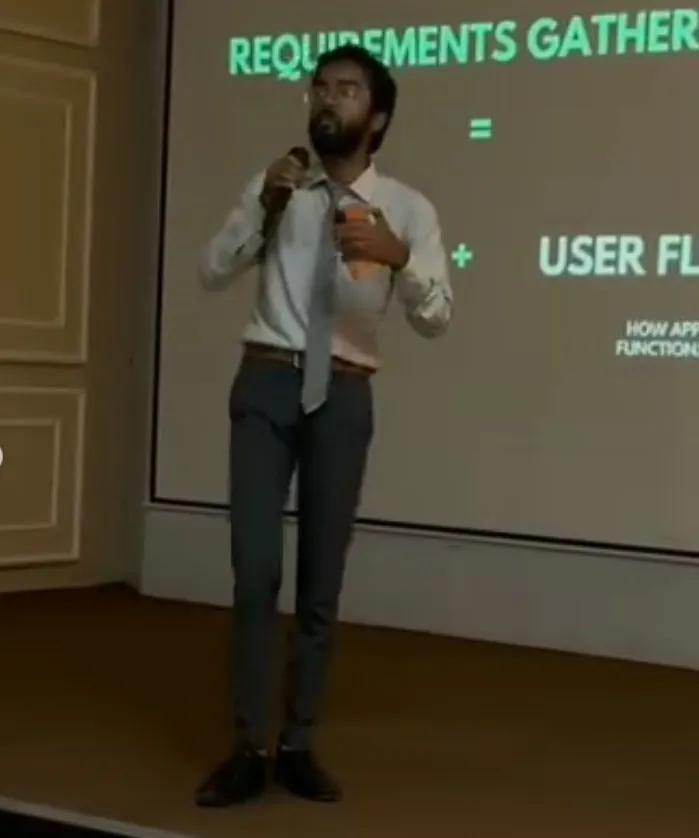
GenAI engineer and AI product builder with 2+ years shipping production-grade AI systems: RAG pipelines, fine-tuned LLMs, hybrid retrieval and multi-modal apps across vision, speech and OCR, architected end to end from ingestion to deployment. Leads engineering for SCULT INDIA's 14-member team, founded the 500+ member TechVerse Enclave community and has mentored 200+ students. Three hackathon first prizes: Changethon 2025 (IIT Roorkee), Product Genesis at Vividhotsava 2025 (CSJMU) and BYTEBATTLE (MeetKats).
Open to GenAI roles, hackathon judging, mentorship sessions and guest talks at colleges. For campus sessions the inviting institution covers the visit end to end: travel (a First AC train ticket for journeys up to five hours, a flight for anything longer), accommodation, meals, and pickup and drop; the honorarium and workshop fees are negotiable on WhatsApp or on the call, and requests are welcome from institutions that can cover the visit this way. Email pranjulrathour41@gmail.com.